
Why Your Demat Share Transfer Gets Stuck – How to Get It Right the First Time
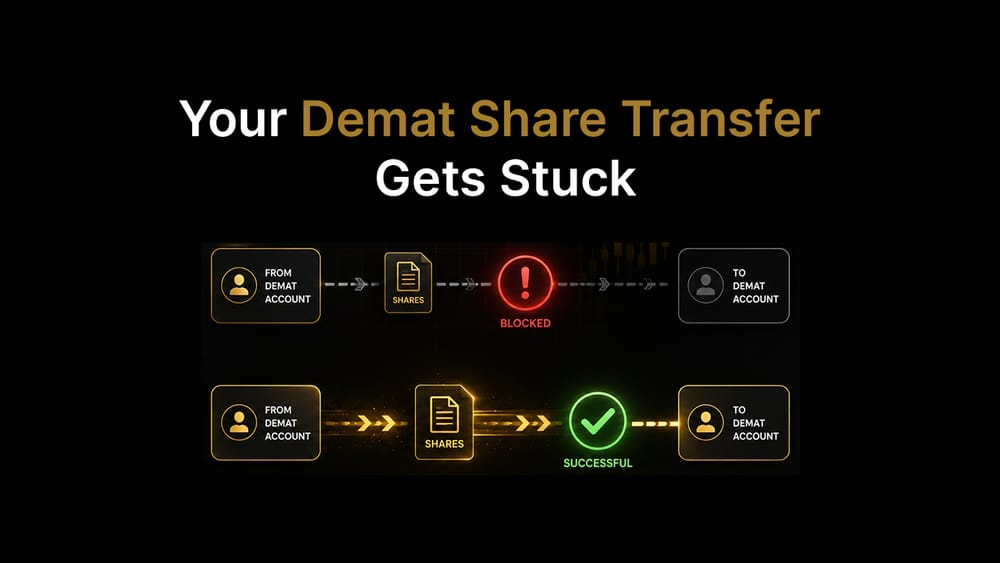
Transferring shares between demat accounts sounds simple: fill a form, submit it, done. Most of the time, it is. But a surprising number of transfers get delayed or rejected outright, not because the process is hard, but because of small, avoidable mistakes that derail an otherwise straightforward request.
Instead of starting with a generic step-by-step, here's a more useful way to learn this: the mistakes that actually cause transfers to fail, and how the correct process avoids each one.
Mistake #1: Not Knowing Whether It's Intra- or Inter-Depository
In India, every demat account sits with one of two depositories — NSDL or CDSL. If both your old and new accounts are with the same depository, that's an intra-depository transfer. If one is NSDL and the other CDSL, that's an inter-depository transfer.
This matters because the two follow different paths, use different forms in some cases, and take different amounts of time. Inter-depository transfers generally take longer and, if done online, require extra setup. Assuming both accounts are "the same kind of demat account" and using the wrong form is one of the most common ways a transfer gets bounced back.
Before you do anything else: check your account statement or ask your broker which depository each account sits with.
Mistake #2: Getting the ISIN, DP ID, or Client ID Wrong
This is the single biggest cause of rejected transfer instructions, whether you go offline or online.
- ISIN (International Securities Identification Number) is a unique 12-character code for each security. Get even one character wrong, and the instruction is rejected.
- DP ID and Client ID together identify the destination demat account. Together, the DP ID and Client ID form a 16-digit beneficiary account number for CDSL accounts.
- Quantity must match exactly what you intend to move; it cannot exceed what's actually available and unrestricted in your account.
The fix is mechanical but important: pull up your latest holdings or Consolidated Account Statement (CAS) from the depository and copy these details directly from it rather than from memory or an old note.
Mistake #3: Signature Mismatch
If you're using the offline Delivery Instruction Slip (DIS) route, your signature on the slip has to match the specimen signature your DP has on file. A signature that's drifted over the years, or one that's rushed and looks different from your registered one, is a common and entirely avoidable reason for rejection.
If you know your signature has changed since you opened the account, get it updated with your DP before submitting a transfer request, not after a rejection.
Mistake #4: Submitting a Joint Account Transfer Incorrectly
If the shares are jointly held, every holder typically needs to sign, and the order of names on the transfer instruction needs to match the order on the account exactly. A request signed by only one joint holder, or where the holder sequence doesn't match the original account records, is a frequent rejection reason that catches families off guard, especially during transfers tied to inheritance, which is a different legal process altogether.
Mistake #5: Not Checking If the Shares Are Pledged, Frozen, or Locked-In
Shares that are pledged (used as collateral, for instance, against a loan or margin facility), under a lock-in period, or sitting in a frozen or dormant account generally cannot be transferred through the normal route until that restriction is lifted.
If your transfer keeps getting rejected for no obvious reason, this is worth checking first; it's a common blind spot, especially for investors who've taken a loan against shares or hold shares from a recent IPO that's still in lock-in.
Mistake #6: Picking the Wrong Method for a One-Time Transfer
Both depositories offer an online alternative to paperwork: CDSL's Easi/Easiest facility and NSDL's Speed-e facility. These are genuinely convenient once set up, but the setup itself is heavier than people expect:
- For inter-depository online transfers, you typically need a Digital Signature Certificate (DSC), which costs roughly ₹2,500 or more and has to be purchased separately from an authorised vendor.
- Once registered, your account still needs to be mapped or approved by the depository, which for CDSL Easiest can take up to 20 working days.
If you only need to make a single, one-time transfer, this upfront cost and wait usually isn't worth it. The offline DIS method remains simpler and cheaper for one-off transfers; the online route pays off mainly if you expect to transfer shares repeatedly.
Mistake #7: Assuming the Timeline Is Always the Same
There isn't one fixed number of days. Timelines depend on whether the transfer is intra- or inter-depository, whether it's done online or offline, and how your specific broker processes requests. As a general range, transfers tend to take anywhere from 3 to 7 working days, with intra-depository and online routes usually landing at the faster end, and inter-depository or offline routes taking longer. Always confirm the expected timeline with your DP rather than assuming.
Mistake #8: Not Accounting for Transfer Charges
Brokers typically charge a fee per ISIN, per transaction, and this fee can vary depending on whether the transfer is intra- or inter-depository. Some brokers also offer discounts for transferring a large number of shares in a single request. If you're moving several stocks, consolidating them into fewer, larger requests rather than multiple small ones can work out cheaper. Always check your broker's tariff sheet, since charges differ from one DP to another.
How the Process Actually Works, Once You've Avoided These Mistakes
With those pitfalls covered, the procedure itself is straightforward.
Offline (DIS):
- Get the correct DIS (intra- or inter-depository, as applicable) from your current broker.
- Fill in the ISIN, quantity, target DP ID, and target Client ID, along with the reason code if it's an off-market transfer (such as a gift).
- Sign it, matching your registered signature, and submit it to your current broker.
- Collect your acknowledgement slip and track the status with your DP.
Online (CDSL Easiest / NSDL Speed-e):
- Register on the relevant portal based on which depository your source account sits with.
- For inter-depository transfers, complete DSC verification.
- Wait for your account to be mapped or approved.
- Log in, select the destination account, choose the ISIN and quantity, and authenticate the transaction (typically via OTP or registered PIN).
Who's Involved
- The transferor — the current account holder initiating the transfer
- The transferee — the person or account receiving the shares
- Depository Participants (DPs) — the brokers or banks registered with NSDL or CDSL that maintain your demat account
- The depositories — NSDL and CDSL, the two SEBI-regulated entities that hold securities in electronic form and process the actual transfer
What About Taxes?
Moving shares between two demat accounts you own yourself isn't a taxable event since ownership doesn't change.
Transferring shares to someone else's account without payment is generally treated as a gift and may carry tax implications under the Income Tax Act, depending on the relationship between the parties and the value involved. It's worth getting specific advice from a chartered accountant before transferring shares to another person, since the right treatment depends on individual circumstances.
The Bottom Line
Almost every demat transfer that gets delayed or rejected traces back to one of the mistakes above: wrong identifiers, a signature mismatch, an overlooked restriction on the shares, or choosing a method that doesn't fit the situation. Get the depository type right, double-check your ISIN and account numbers against your actual holdings statement, confirm the shares are free to transfer, and pick offline or online based on whether this is a one-time move or something you'll do repeatedly. Handle those upfront, and the rest of the process is genuinely just paperwork.


