
How to trade weekly nifty option contracts in 021 Trade?
How to trade weekly nifty option contracts in 021 Trade? Find a clear answer in this FAQ by 021 Trade.
1. Login & Navigate to Options
- Log in to your 021 Trade account
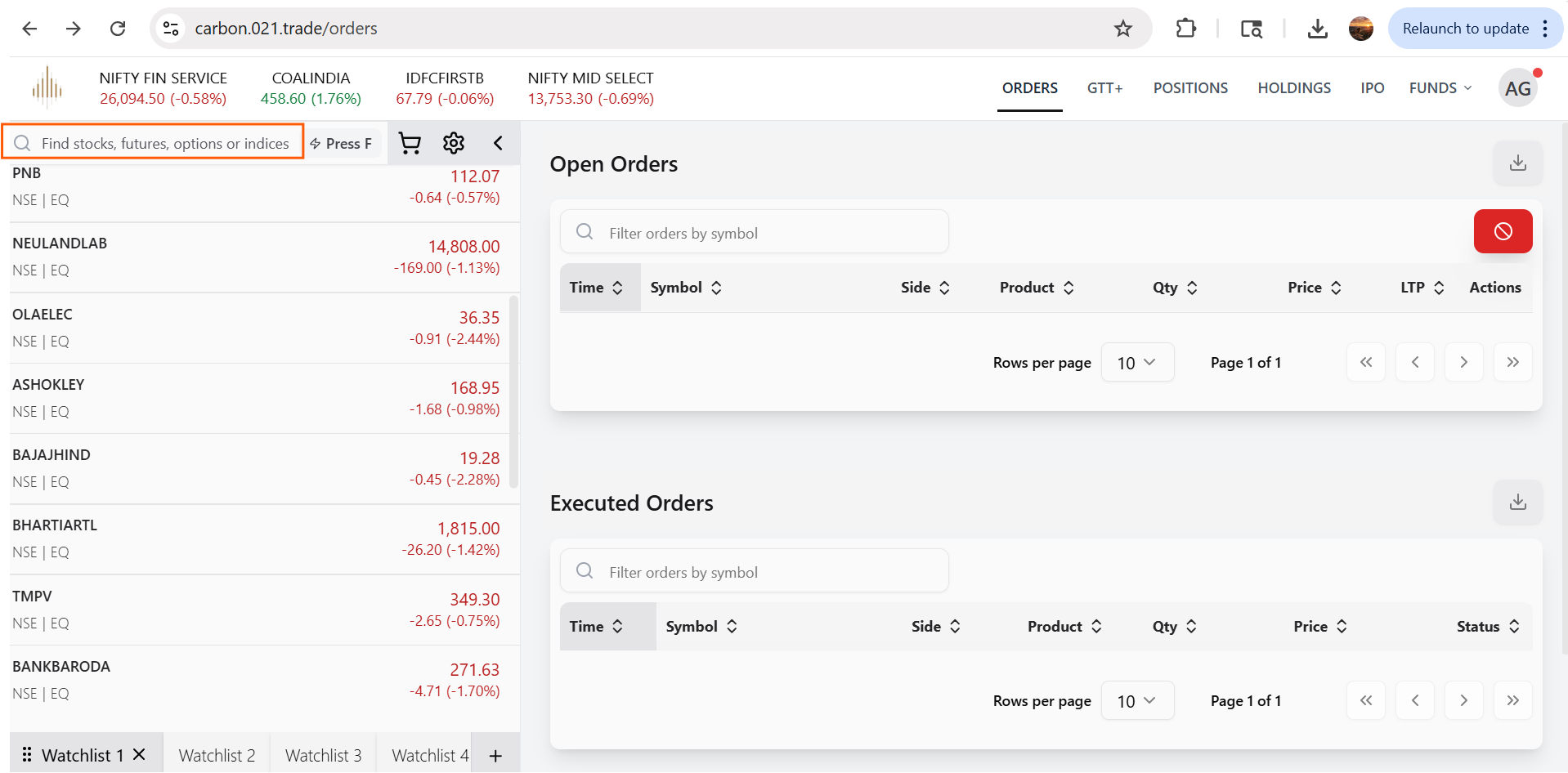
- Go to the Find section
- In the search bar (left panel), type “Nifty” to view available contracts
2. Select Weekly Contracts
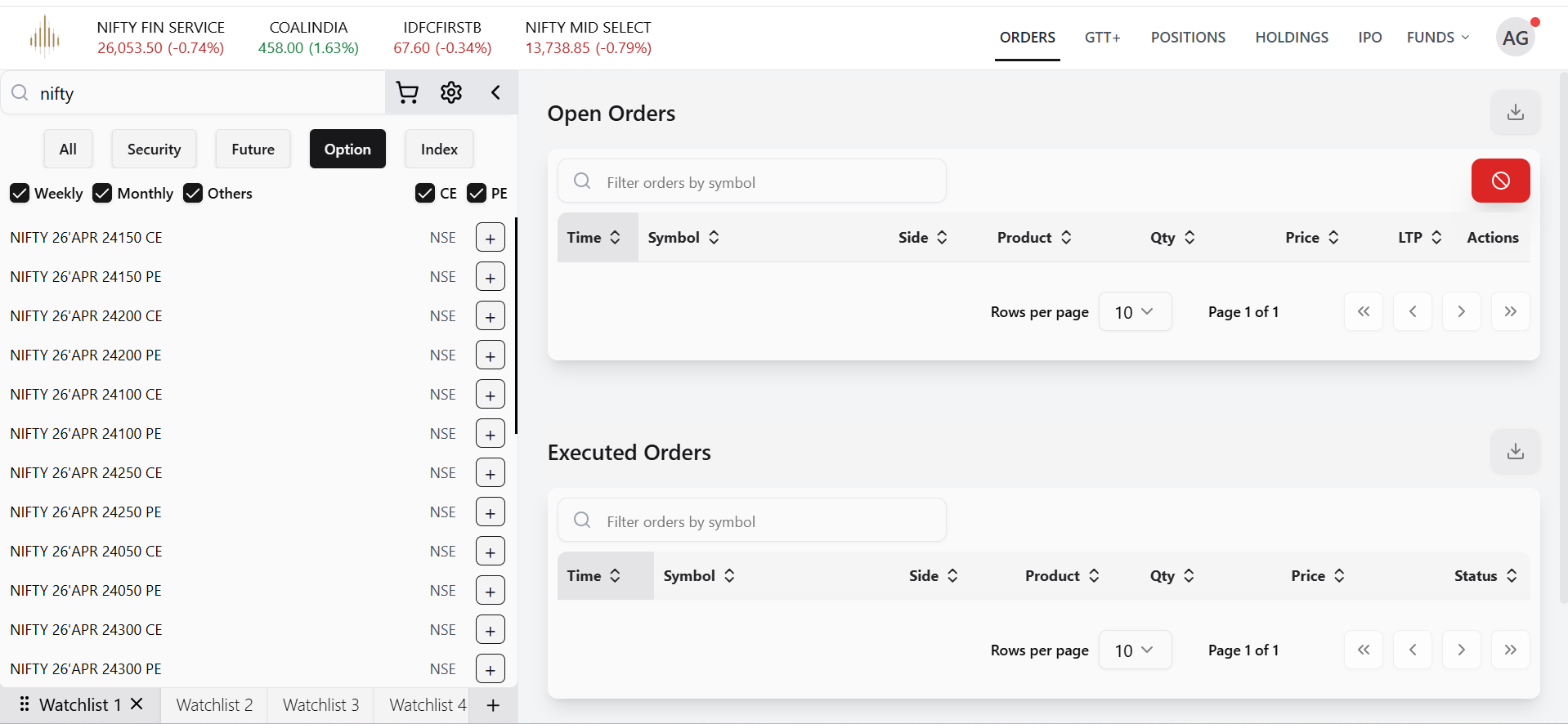
- Choose the Option tab (from Security / Future / Option)
- Enable the Weekly checkbox to filter weekly expiry contracts
- You can further filter contracts by:
- CE (Call Options)
- PE (Put Options)
3. Choose the Desired Strike Price
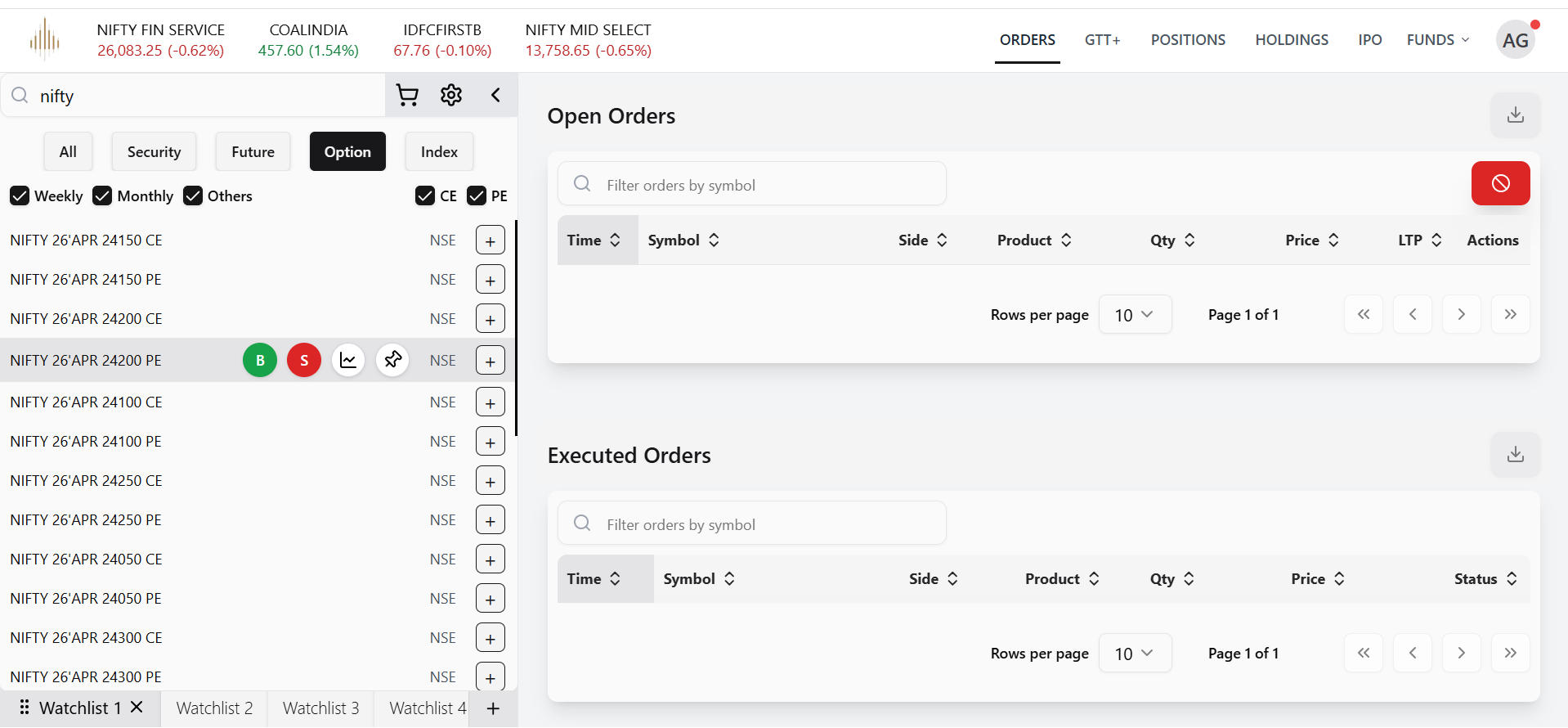
- A list of NIFTY weekly contracts will be displayed with expiry dates
(e.g., 28th Apr ’26 – 24200 CE / 24200 PE) - Review the available strike prices
- Select the contract that aligns with your trading strategy
4. Place an Order
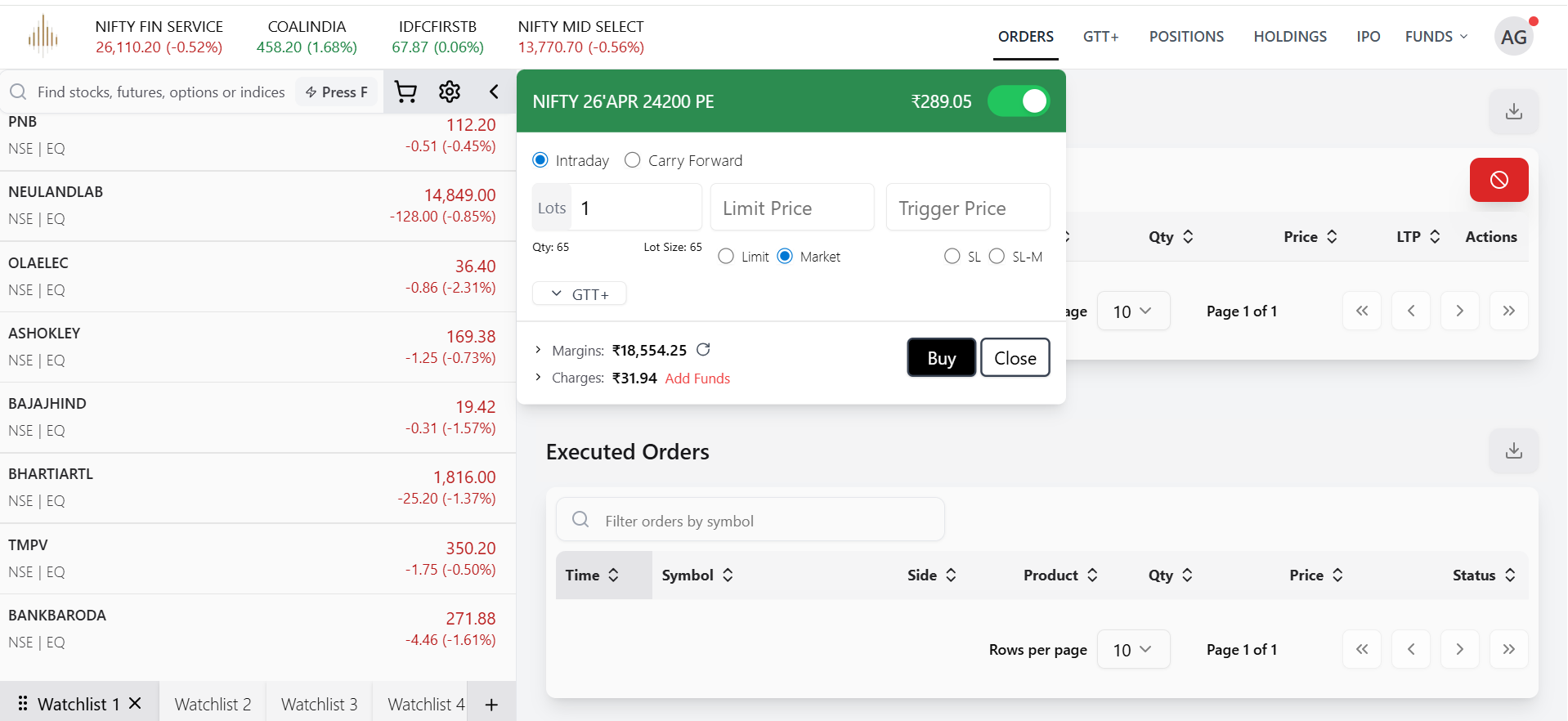
- Click the + button next to your selected contract
- Enter order details such as:
- Quantity
- Order Type (Market / Limit)
- Product Type (Intraday / Long-term)
- Confirm and place the order
5. Monitor Orders
- Open Orders: View all pending orders with details like ticker, side, LTP, quantity, price, and product type
- Executed Orders: Track all completed trades
6. Manage Orders
- Cancel pending orders using the “Cancel All” option or individually via the Actions menu
- Use the Download option to export order history for records or analysis


