
How to File a Complaint with SEBI Through the SCORES Portal: A Step-by-Step Guide
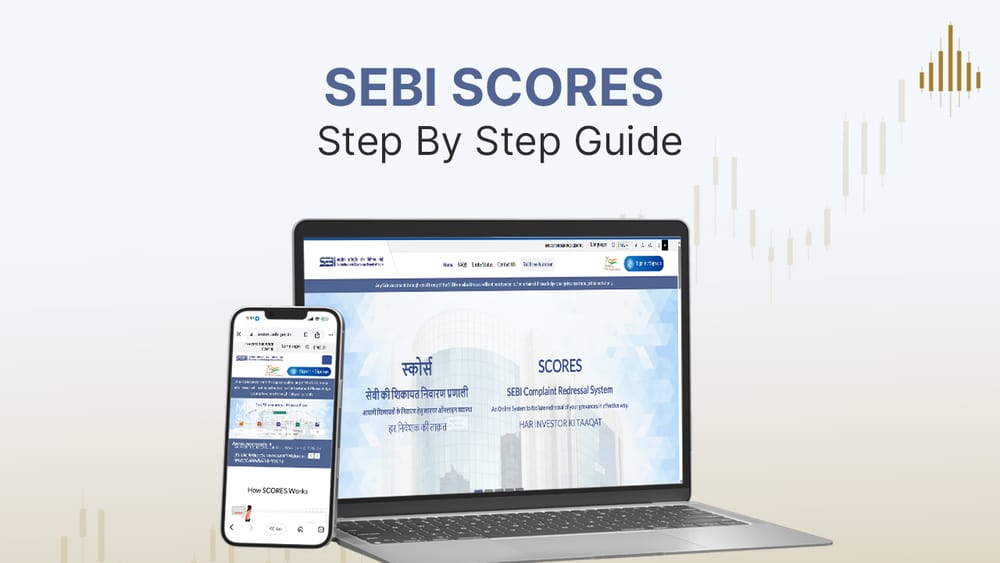
Bad trade execution. Unauthorised transactions. A mutual fund redemption that never showed up. If you've ever had a rough experience with a stockbroker, listed company, or market intermediary in India, you don't have to just absorb it. SEBI - the Securities and Exchange Board of India runs a dedicated grievance redressal system called SCORES, and it's free, online, and designed to hold regulated entities accountable on a clock.
Here's exactly how it works, and how to use it.
Step 1: Talk to Your Broker or Intermediary First
SCORES is your second move, not your first.
Before you touch the portal, raise the issue directly with your broker, AMC, or intermediary through their official grievance channel. A few things to keep in mind while you do this:
- Use their formal complaint or grievance email/portal, not a casual chat message
- Keep a written record of everything – date, time, what was said, what was promised
- Note the exact date you raised the issue. SEBI will ask for this when you eventually file on SCORES
If you don't get a satisfactory response within a reasonable window, it's time to escalate to SCORES.
Step 2: Understand What SCORES Actually Is
SCORES (SEBI Complaints Redress System) is SEBI's official online platform for lodging and tracking complaints against listed companies, registered intermediaries, and market infrastructure institutions like stock exchanges and depositories.
A few essentials:
- It's completely free, and run directly by SEBI not a third party
- Every complaint you file gets a unique reference number for tracking
- Complaints can only be lodged through the portal or the SCORES mobile app (Android and iOS) there's no separate email channel for filing
- SCORES is a facilitation platform, not an adjudicating body it routes your complaint to the right entity and monitors the timeline, but doesn't act as a court
It's also worth knowing what SCORES won't handle. You can't use it for complaints that are anonymous, unsupported by documents, already pending in court, related to unregistered or unlisted entities, or that fall under another regulator's jurisdiction (like RBI for bank deposits or IRDAI for insurance). There's also a one-year window from the date the issue arose to file your complaint after that, SEBI can reject it as time-barred.
Step 3: Register on the Portal
- Head to scores.sebi.gov.in and click "Sign in / Sign up."
- Register via PAN + DOB, or fill in the form manually
- Verify mobile & email vio OTP
- Set a password to track your complaint later
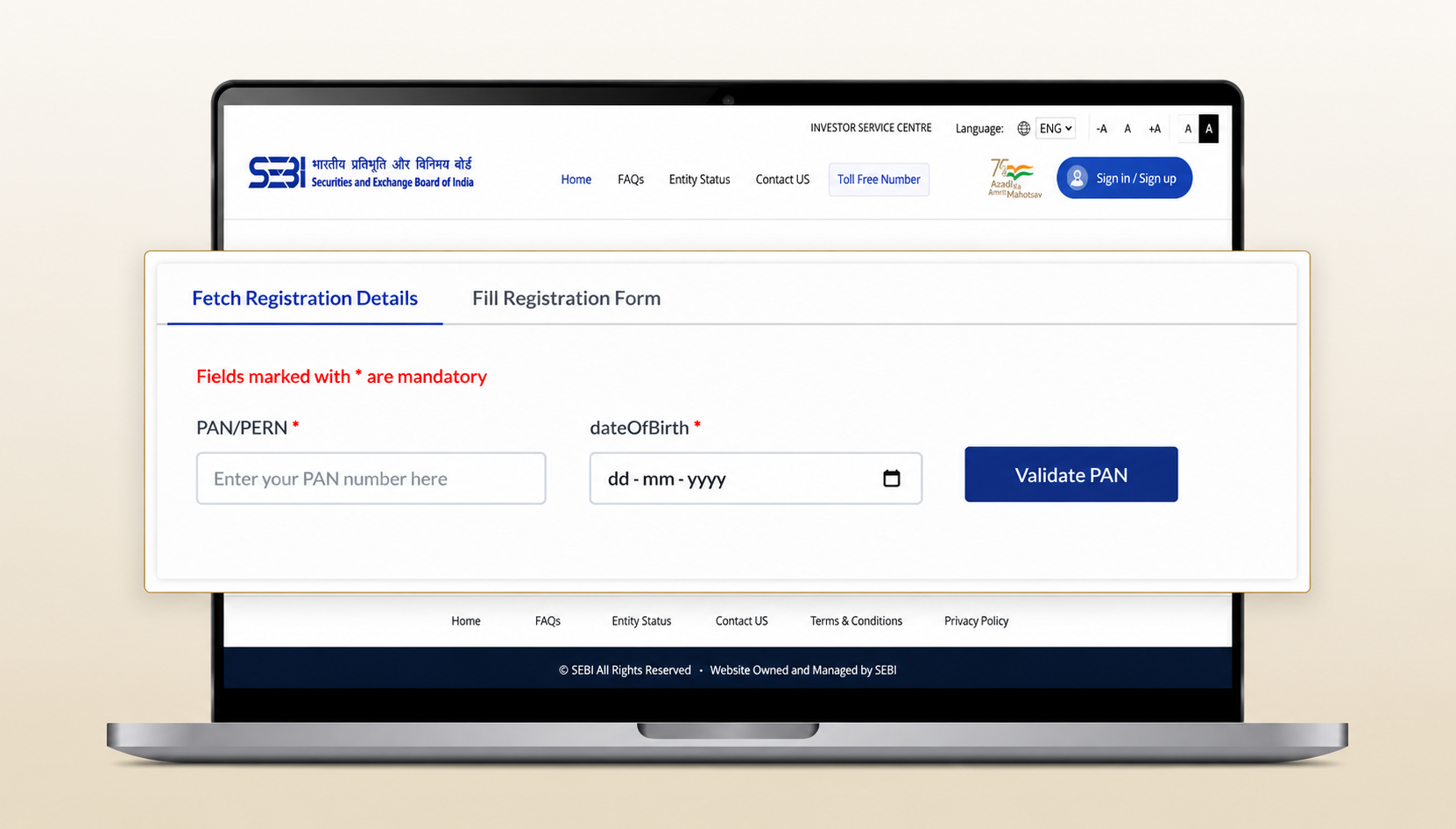
You have two ways to register:
Auto-fetch via KRA database: enter your PAN and date of birth, and your KYC details get pulled automatically from the KYC Registration Agency database
Manual registration: fill in your details yourself if you'd rather not use auto-fetch, or if your mobile number isn't updated with the KRA
Either way, you'll need to verify your mobile number and email via OTP, then set a user ID and password you'll use to track your complaint later.
Step 4: Log In and Lodge Your Complaint
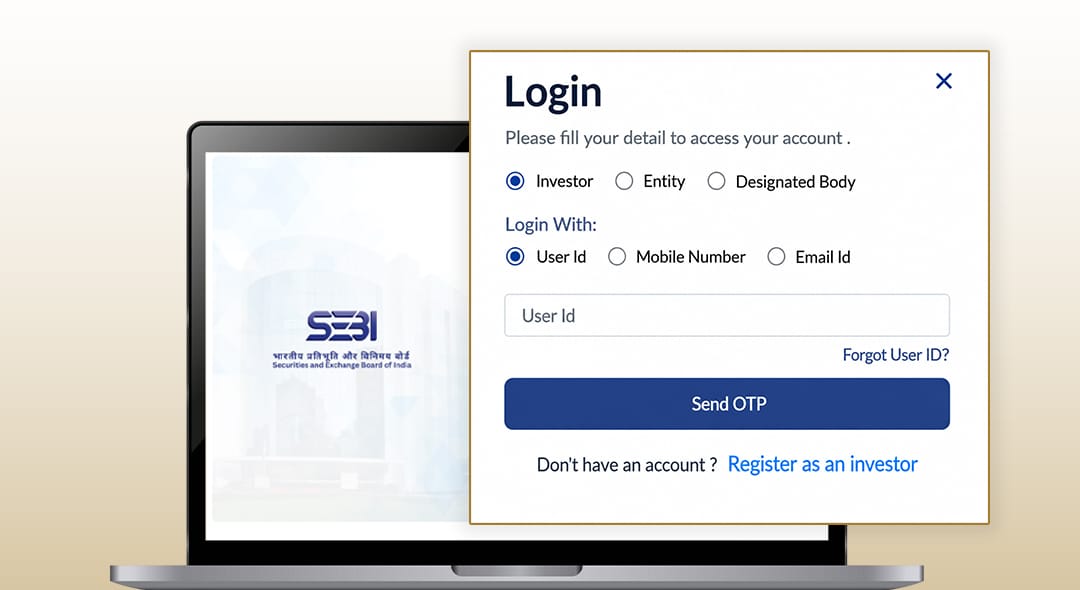
- After registration, log in using your credentials.
- Verify your account again with the OTP sent to your registered mobile number.
- From your dashboard, click “Lodge a Complaint” to proceed.
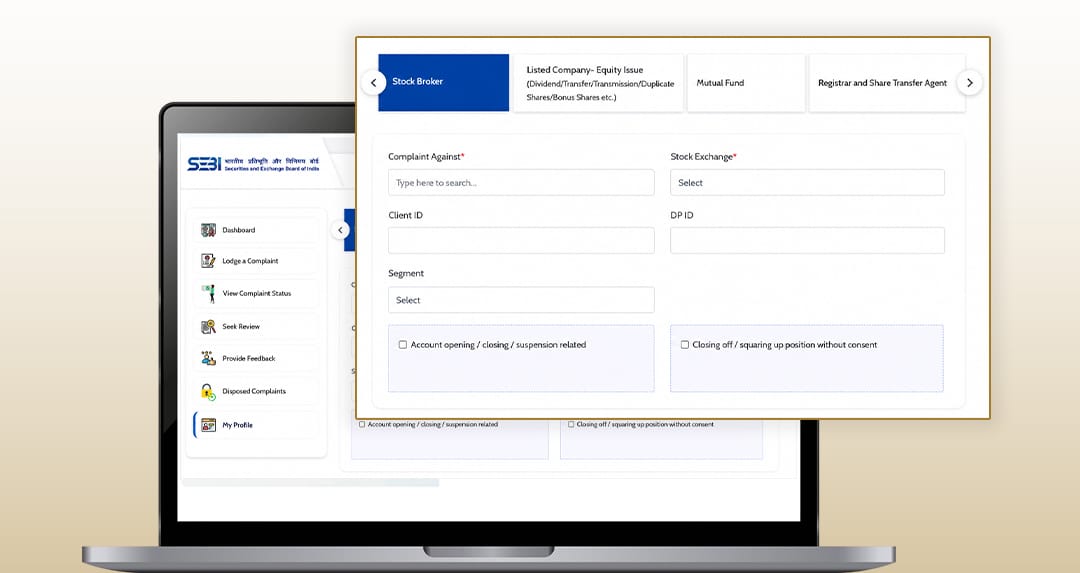
- Fill the complaint form
From here:
- Select the entity you're filing against listed company, stockbroker, mutual fund, registered investment adviser, etc.
- Choose the appropriate category and sub-category for your issue. You can actually select up to five sub-categories against the same entity if your complaint covers multiple issues
- Describe the problem clearly include specific dates, amounts, and what outcome you're seeking
- Attach supporting documents: contract notes, account statements, emails, screenshots of correspondence. Attach supporting documents such as contract notes, account statements, emails, and screenshots of correspondence. Check the portal for current file format and size limits before uploading.
- Review everything carefully, then submit
You'll receive a unique complaint registration number immediately. Save it you'll need it for every future interaction with this complaint.
Step 5: What Happens Next and the Clock That Starts Ticking
- Select the relevant category and enter the exact entity name.
- Choose the nature of the complaint from the available options.
- Clearly describe the issue, including important details such as dates, transaction amounts, and relevant context.
- Upload supporting documents such as contract notes, emails, or screenshots. Refer to the SCORES portal for accepted file formats and size limits.
- Review all details in the preview section and click Submit to file your complaint.
This is where SCORES earns its reputation for actually working. The moment you submit, your complaint is auto-routed to the entity you've named, and SEBI's timeline kicks in:
- 21 calendar days - the entity must investigate and upload an Action Taken Report (ATR) within this window. Miss it, and the complaint auto-escalates.
- First-level review (15 days) - if you're not satisfied with the ATR, you can request a review within 15 calendar days of receiving it. The relevant Designated Body (typically the stock exchange or depository overseeing that entity) then takes it up and must respond within 10 calendar days.
- Second-level review (15 days) - still unhappy? You get another 15-day window to escalate again, this time straight to SEBI, which conducts the final review.
SEBI also sends automatic reminders to the entity at the 10th and 15th day if no ATR has been filed, so the pressure isn't just on you to keep checking, the system is nudging the other side too.
Throughout this, you'll get email and SMS alerts every time there's movement: an ATR submitted, a clarification requested, a review initiated. You can also log in anytime to view the full action history against your complaint number.
Step 6: Respond Promptly If Asked
- Save your reference number for future tracking.
- The entity must file an Action Taken Report (ATR) within 21 days.
- Check SCORES regularly for status updates.
- Respond promptly if additional information or clarification is requested.
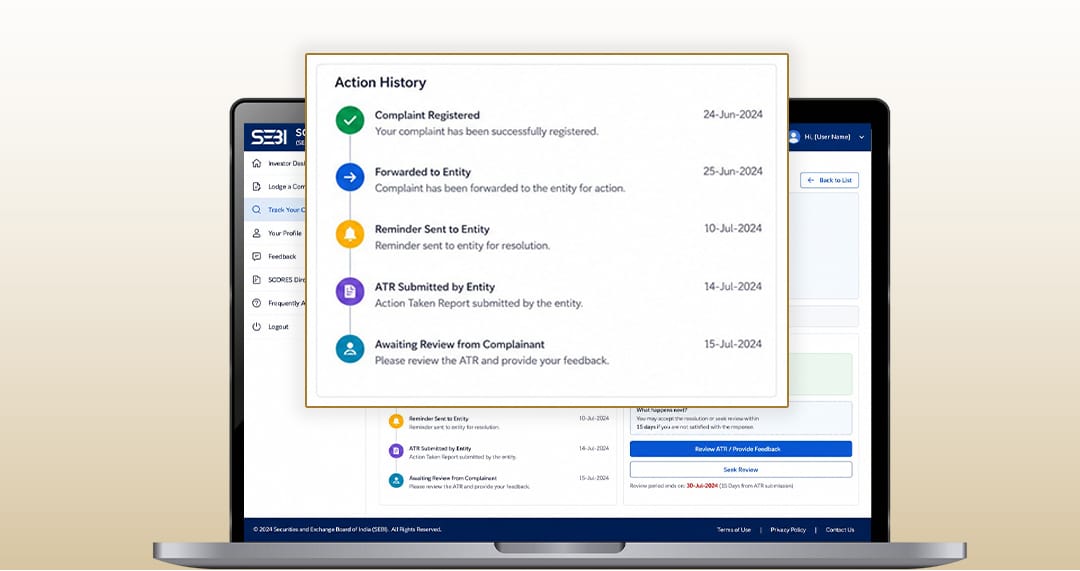
Sometimes the entity, the Designated Body, or SEBI itself will need more information from you before they can act. When that happens, you'll be notified respond through the portal as quickly as you can. Delays on your end can stall the resolution, and the timelines are strict in both directions.
Resolution or the Next Step
Your complaint gets closed (disposed) on SCORES when:
- You're satisfied with the ATR and don't request a review within 15 days, or
- SEBI completes a second-level review and is satisfied with the final resolution, or
- You choose to move the matter to Online Dispute Resolution instead
If you're still not happy with how things were resolved, SCORES isn't your only option.
Still Unresolved? Try SEBI's Online Dispute Resolution (ODR) Mechanism
If SCORES doesn't get you where you need to be, SEBI's SMART ODR Portal is the next step. This is a separate mechanism built for online conciliation and arbitration of securities market disputes, and it runs through smartodr.in
A quick look at how it works:
- Pre-conciliation is free, and the relevant Market Infrastructure Institution (stock exchange or depository) tries to broker an amicable resolution within 21 calendar days of filing
- If that fails, the matter moves to conciliation, where a neutral mediator steps in
- If conciliation also fails, you can move to arbitration, where the arbitrator's decision is binding on both parties
Note that if you choose to pursue ODR while a SCORES complaint is still pending, the SCORES complaint will be treated as closed so it's a sequential path, not a parallel one.
Quick Recap
- Always contact your broker or intermediary first, in writing
- Register on SCORES using your PAN and basic KYC details
- Lodge your complaint with full documentation and a clear description
- Track it using your reference number the entity has 21 days to respond
- Escalate through first- and second-level review if needed
- If still unresolved, move to SEBI's ODR mechanism via smartodr.in
You can also reach SEBI's toll-free helpline at 1800 22 7575 or 1800 266 7575 (9 AM–6 PM, available in eight languages) for help with lodging or tracking a complaint.
File your complaint here: scores.sebi.gov.in
Disclaimer: This article is for informational purposes only and does not constitute legal or financial advice. Procedures and timelines are subject to change as per SEBI's circulars, always refer to the official SCORES and SEBI websites for the most current process. Mutual Fund investments are subject to market risks; read all scheme-related documents carefully.


