
How to download masked Aadhaar?
How to download masked Aadhaar? Find a clear answer in this FAQ by 021 Trade.
A masked Aadhaar hides the first eight digits of your Aadhaar number and shows only the last four digits. It helps protect your privacy while still serving as a valid identity proof.
Steps to Download Masked Aadhaar:
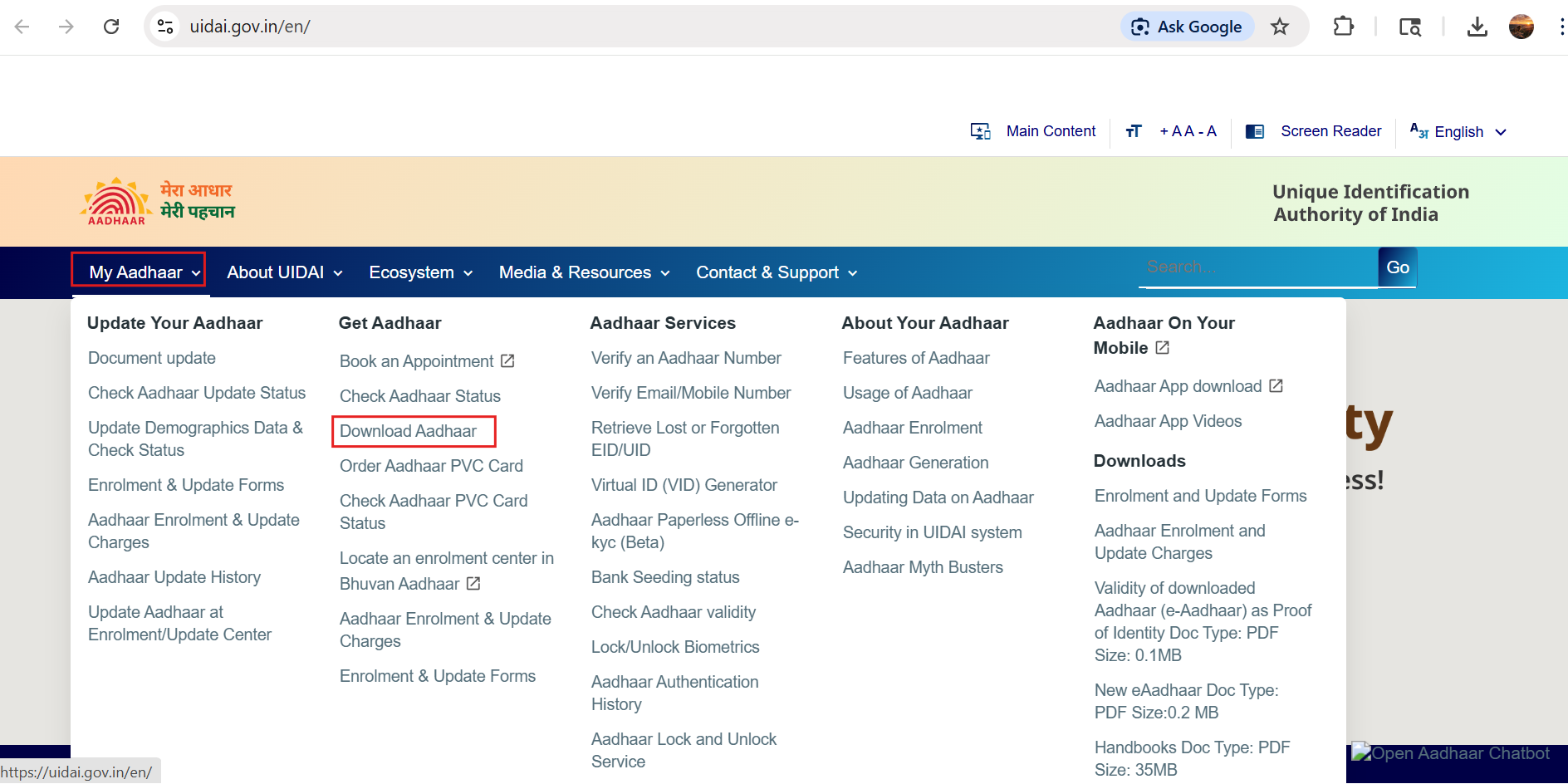
- Visit the official UIDAI website: https://uidai.gov.in/en/
- Click on “My Aadhaar” and select “Download Aadhaar”.
- Choose any one of the following options to proceed:
- Aadhaar Number: Enter your 12-digit Aadhaar number.
- Enrolment Number (EID): Enter your 28-digit enrolment number along with date and time.
- Virtual ID (VID): Enter your 16-digit Virtual ID (a temporary number linked to your Aadhaar).
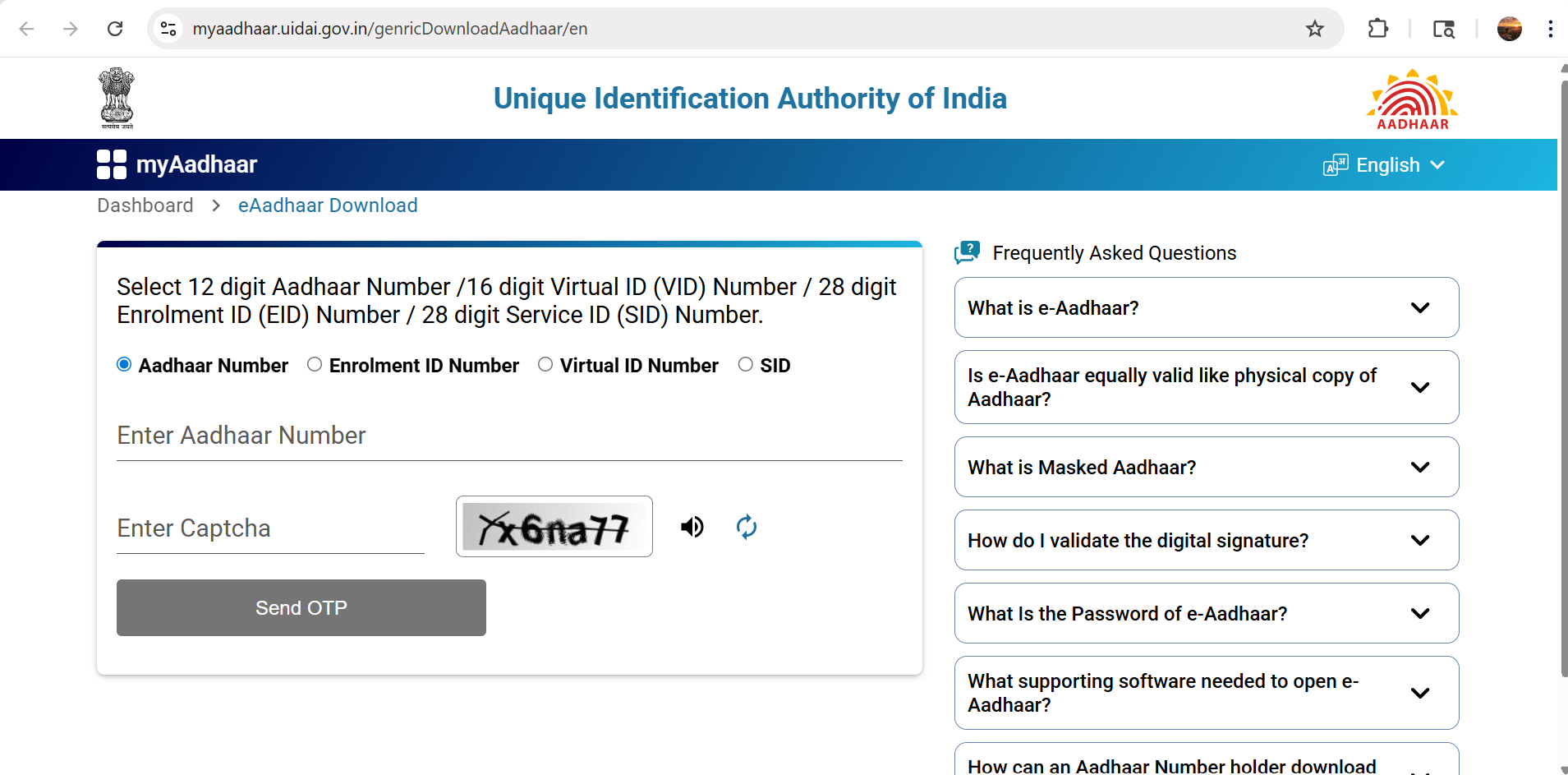
- Click on “Send OTP”. An OTP will be sent to your registered mobile number.
- Select the option “I want a masked Aadhaar”.
- Enter the OTP and click on “Verify and Download”.
Your masked Aadhaar will be downloaded as a password-protected PDF file. Use the password format mentioned on the download page to open it. Once opened, it will display your details, photo, and QR code, with only the last four digits of your Aadhaar number visible.


