
How to check active segments in my account?
How to check active segments in my account? Find a clear answer in this FAQ by 021 Trade.
To check the active segments with 021 Trade, kindly follow the steps below:
• Log in to your Carbon Trading Application/Website.
• Click on your profile icon located in the top-right corner and select the Profile tab.
• Click on the Demat section, and under Manage Segments, you will be able to
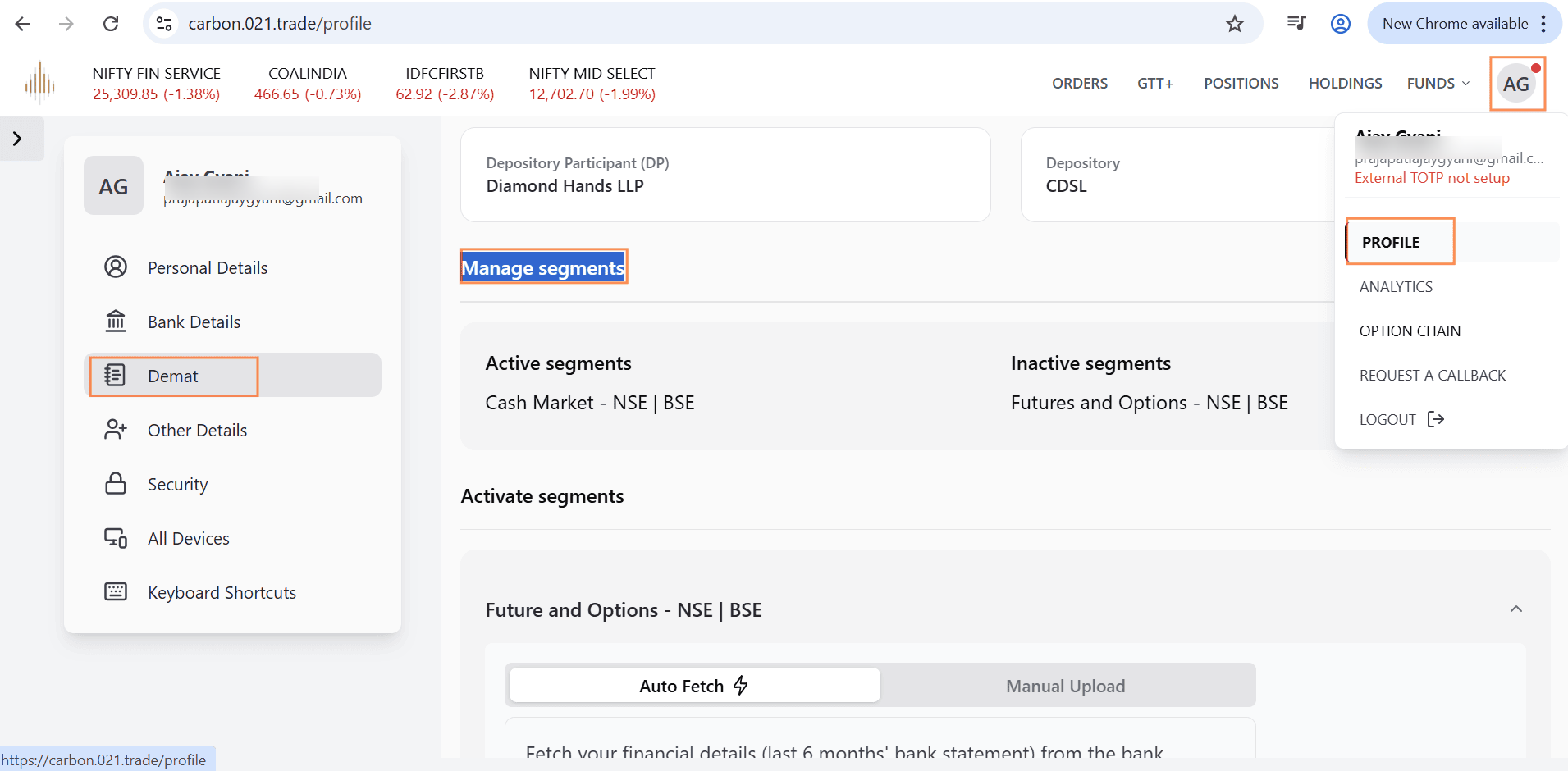
view the list of active and inactive trading segments enabled with 021 Trade.
If you want to know how to activate a segment, click here.


