
How to change the current 021 Trade password?
Step-by-step guide to change your password in the 021 Trade account:(WEB)
- Log in to your 021 Trade account.
- Click on the Profile icon at the right corner of the screen.
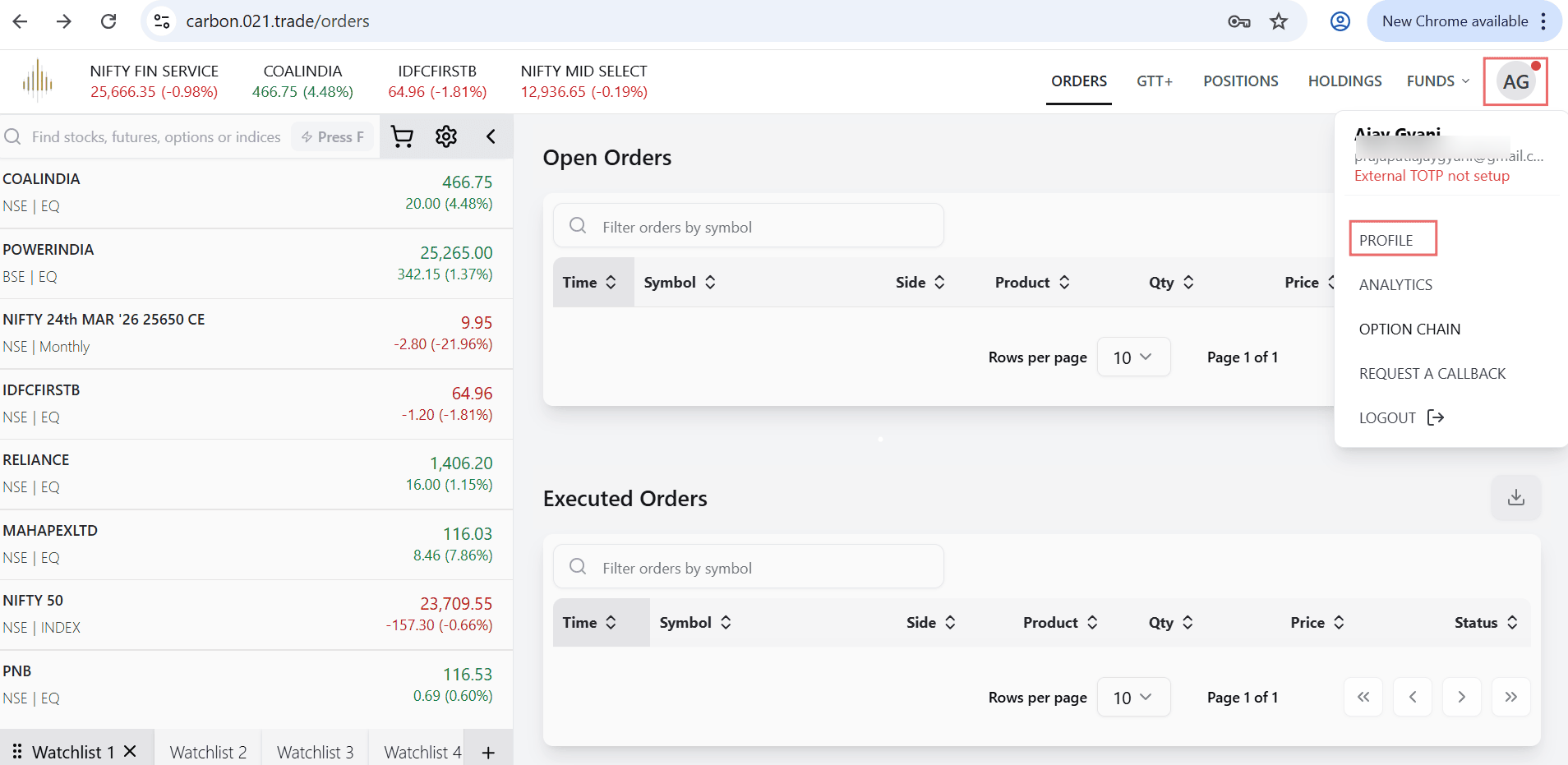
- From the dropdown menu, select Profile.
- In the left-side menu, click on Security.
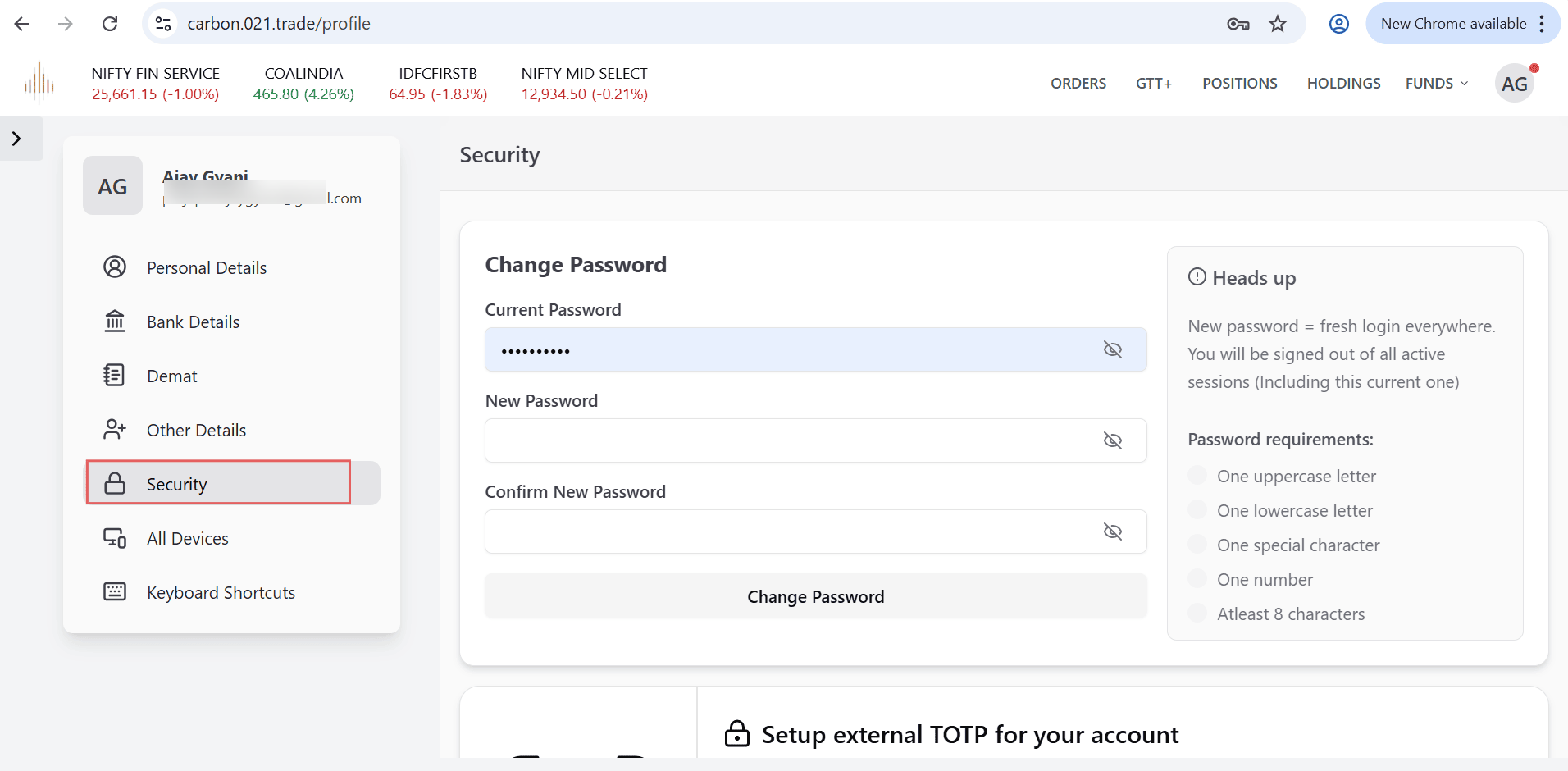
- Under the Change Password section:
○ Enter your Current Password.
○ Enter your New Password (as per the required criteria).
○ Confirm the New Password by entering it again.
- Click on Change Password.
After the password is changed, you will be logged out from all active sessions, including the current one.
Step-by-step guide to change your password in your 021 Trade account (in Application)
- Log in to your 021 Trade account.
- Click on the Profile icon at the top-right corner of the screen.
- Click on Security.
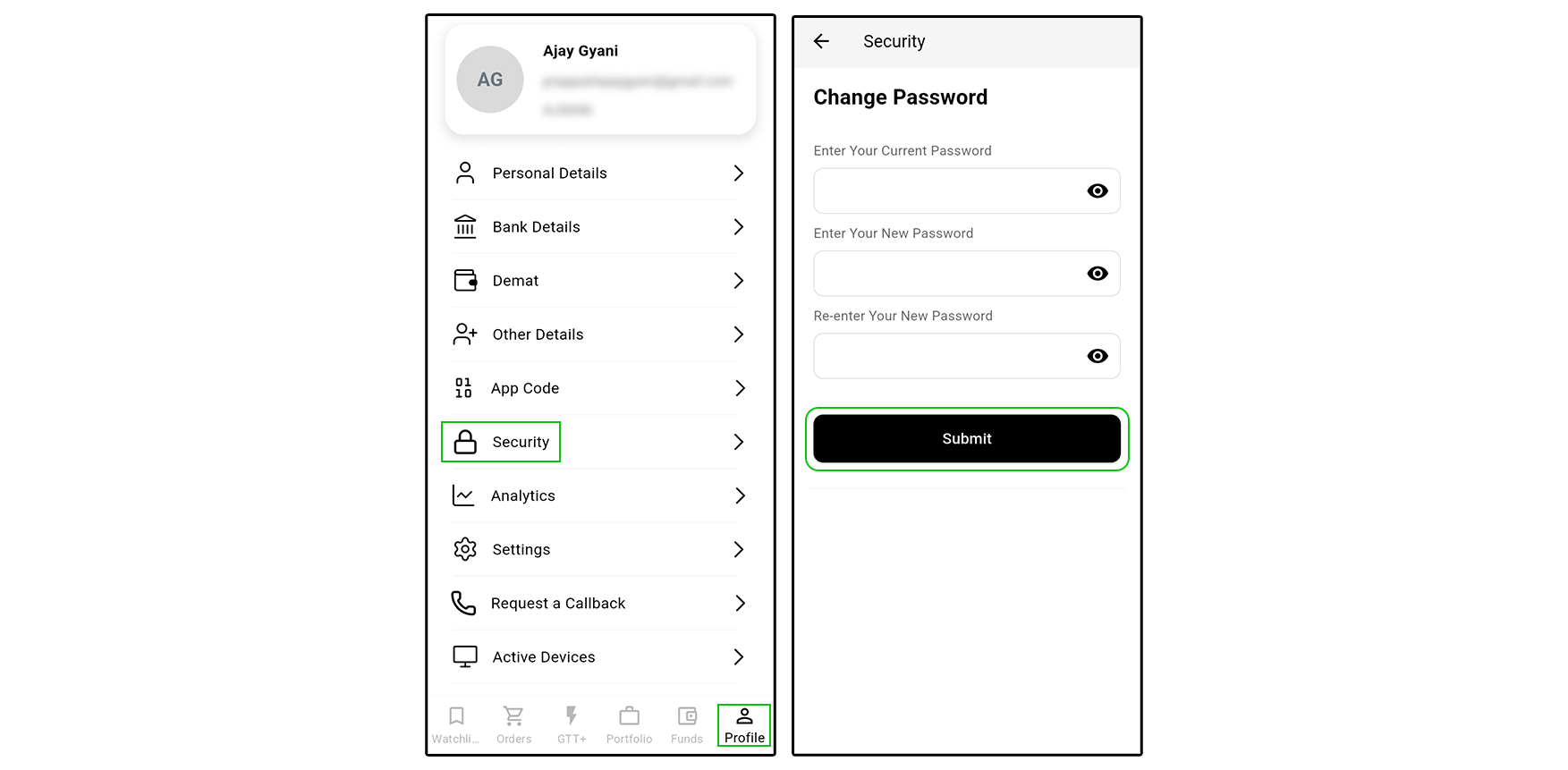
- Enter your Current Password.
- Enter your New Password (as per the required criteria).
- Re-enter your New Password by entering it again.
- Click on submit.
Once the password is changed, you will be logged out of all active sessions


