
How to add a trusted Account in CDSL Easiest?
How to add a trusted account in CDSL Easiest. Find a clear answer in this FAQ by 021 Trade.
- Login to CDSL Easiest
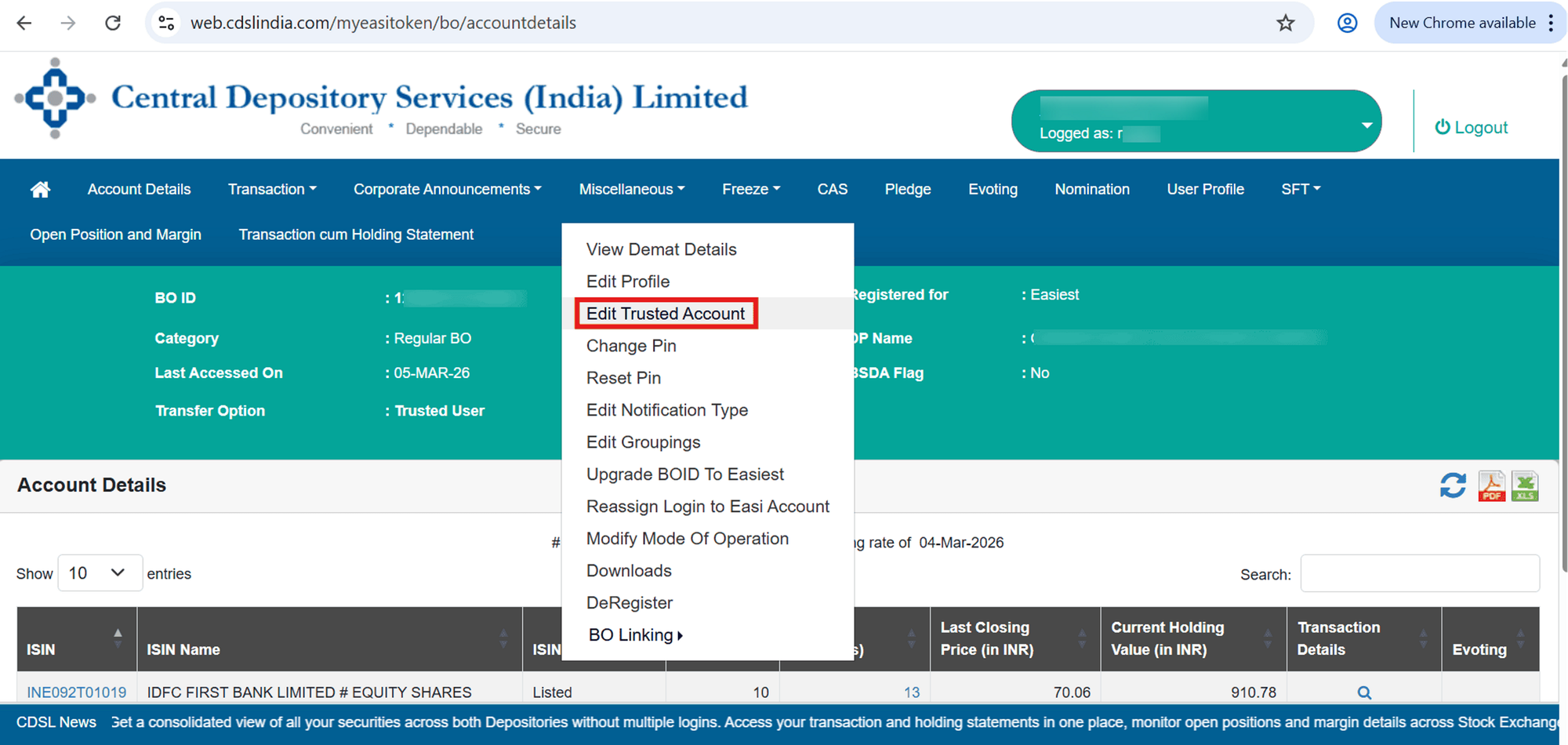
- Click on Miscellaneous
- Click on Edit Trusted Account
- Click on Add Trusted Account
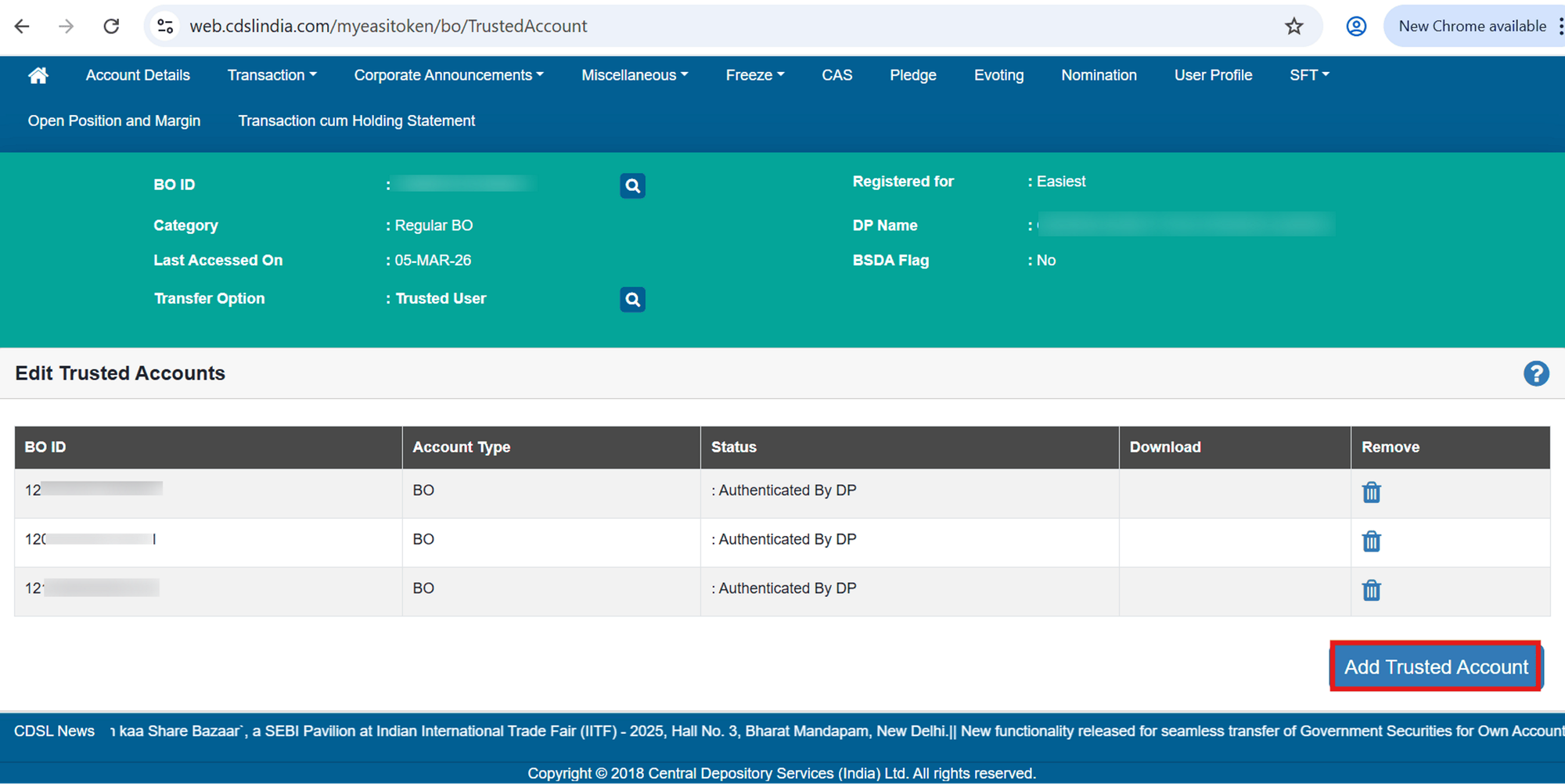
5 . Enter the Trustee / Beneficiary BOID (16-digit Demat ID)
- Click on submit
- After the DP approves the request, the account will be added as a Trusted Account, and you will be able to transfer securities to it.


