
How can I activate Derivatives on the website & Application?
How can I activate Derivatives on the website & Application? Find a clear answer in this FAQ by 021 Trade.
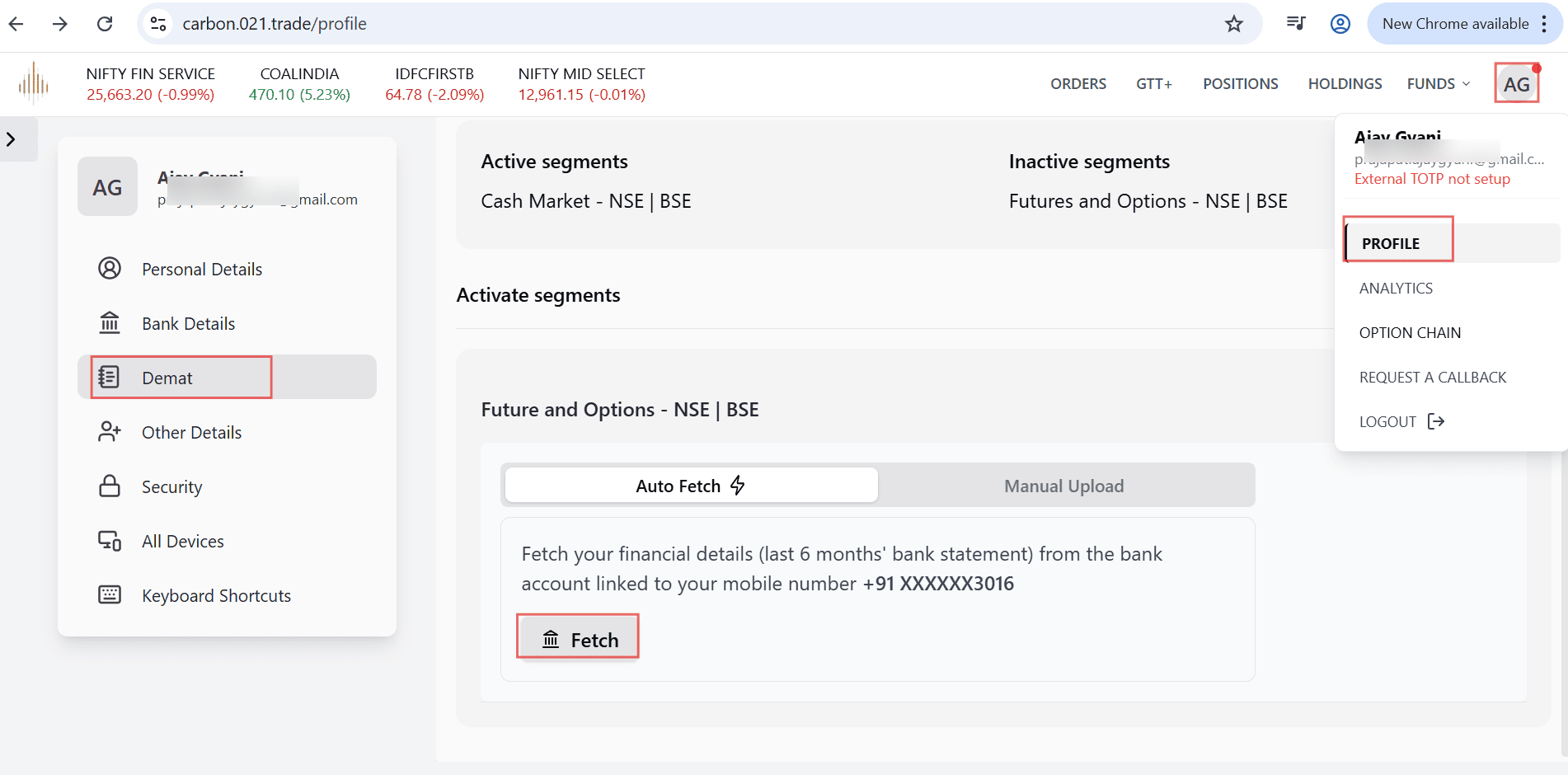
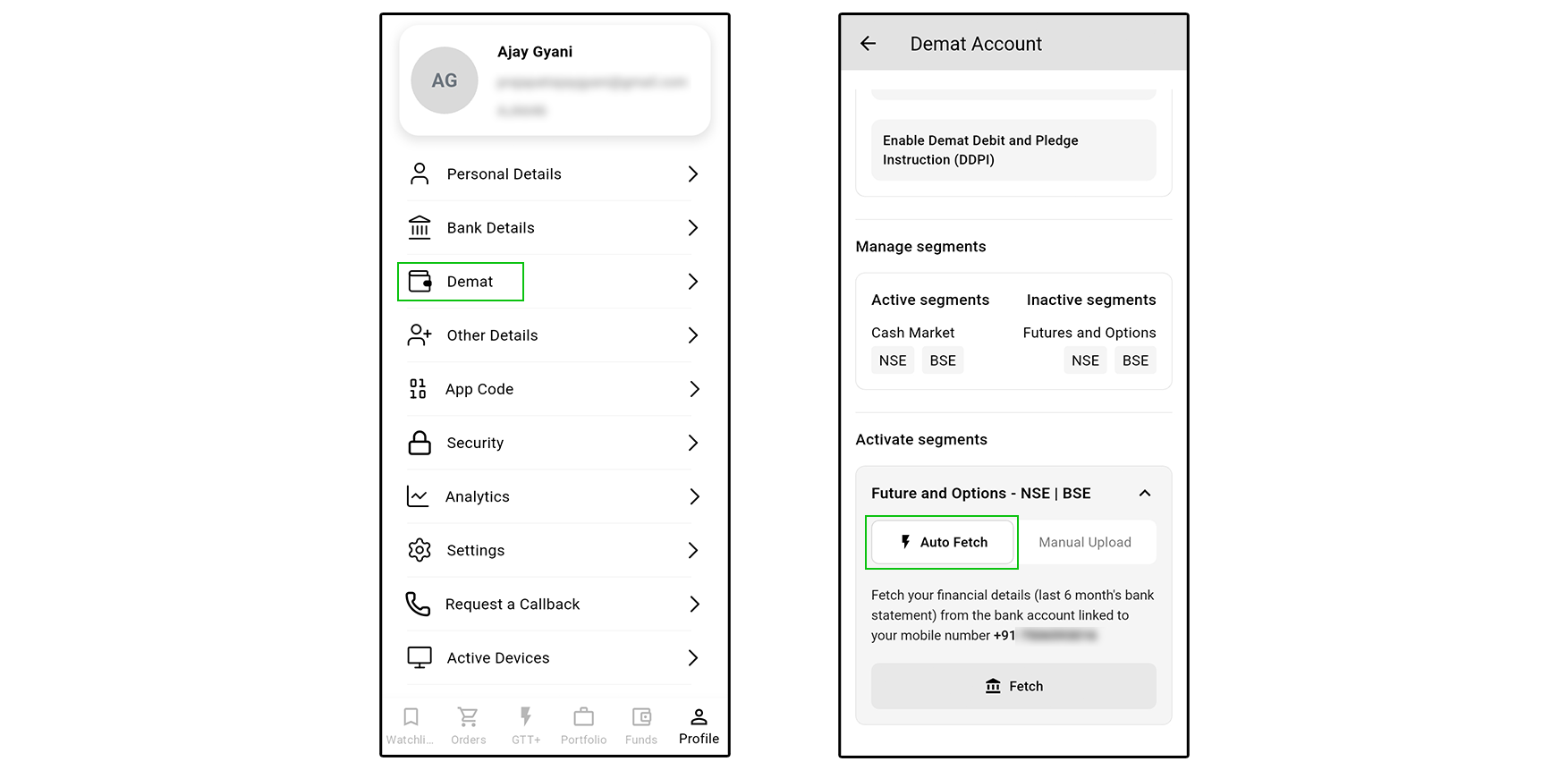
- Log in to your trading account.
- On the right-hand side corner, click on the Profile option.
- Click on Demat.
- Scroll down the page.
- You will see Futures & Options – NSE | BSE.
- Select the activation process:
- Fetch – This is the faster process, where details are automatically fetched.
- Manual – You can upload the required documents manually.
After submitting the required details and documents, your request will be processed. Once approved, the Derivatives segment will be activated in your account. You will receive a confirmation email once the request is approved. In case the request is rejected, you will also be notified via email with the relevant details.”


